Subscribe once, read on the site or in any app
A reader subscribes to a blog at its License Server, then reads subscriber-only posts on the blog itself and in a separate reader app, with no second subscription. The blog never handles a password or a payment. Every screenshot below is from the live demo, which implements the v0.2 draft.
The blog
The publisher. It serves posts, and checks a token before showing a subscriber-only one. A static Eleventy site with a small function in front.
The License Server
Signs readers in, keeps their subscriptions, and issues short-lived tokens. Usually run by someone else, the way a payment provider is.
A reader app
Any app the reader chooses. It gets its own token from the License Server and presents it to the blog.
On the blog itself
The site unlocks its own posts in the browser (the draft's Web profile).
-
1
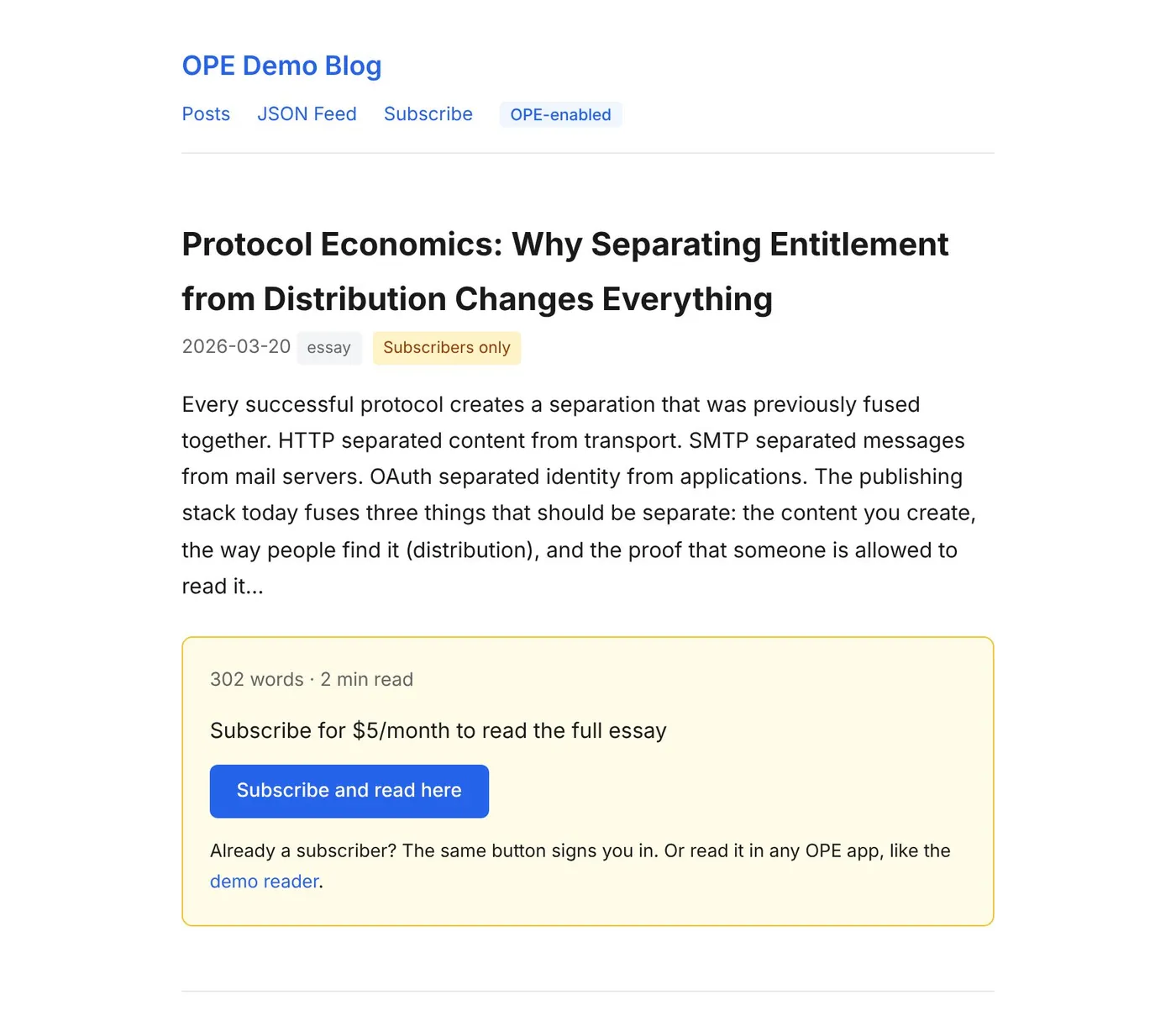
A subscriber-only post
What you see
The post's opening, a word count, and a Subscribe and read here button. The full text isn't on the page.
What just happened
The blog answers 402 Payment Required, with a pointer to the offers for this group of posts.
-
2
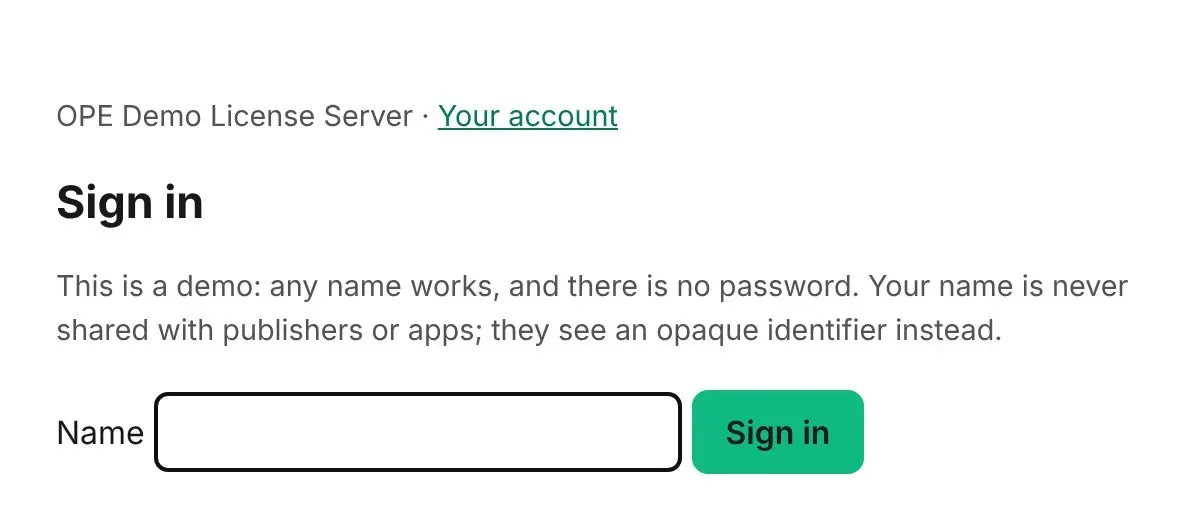
Sign in at the License Server
What you see
A sign-in page on the License Server, a separate site from the blog. In the demo, any name works.
What just happened
The blog started a standard OAuth sign-in from its own server. The blog never sees a password.
-
3
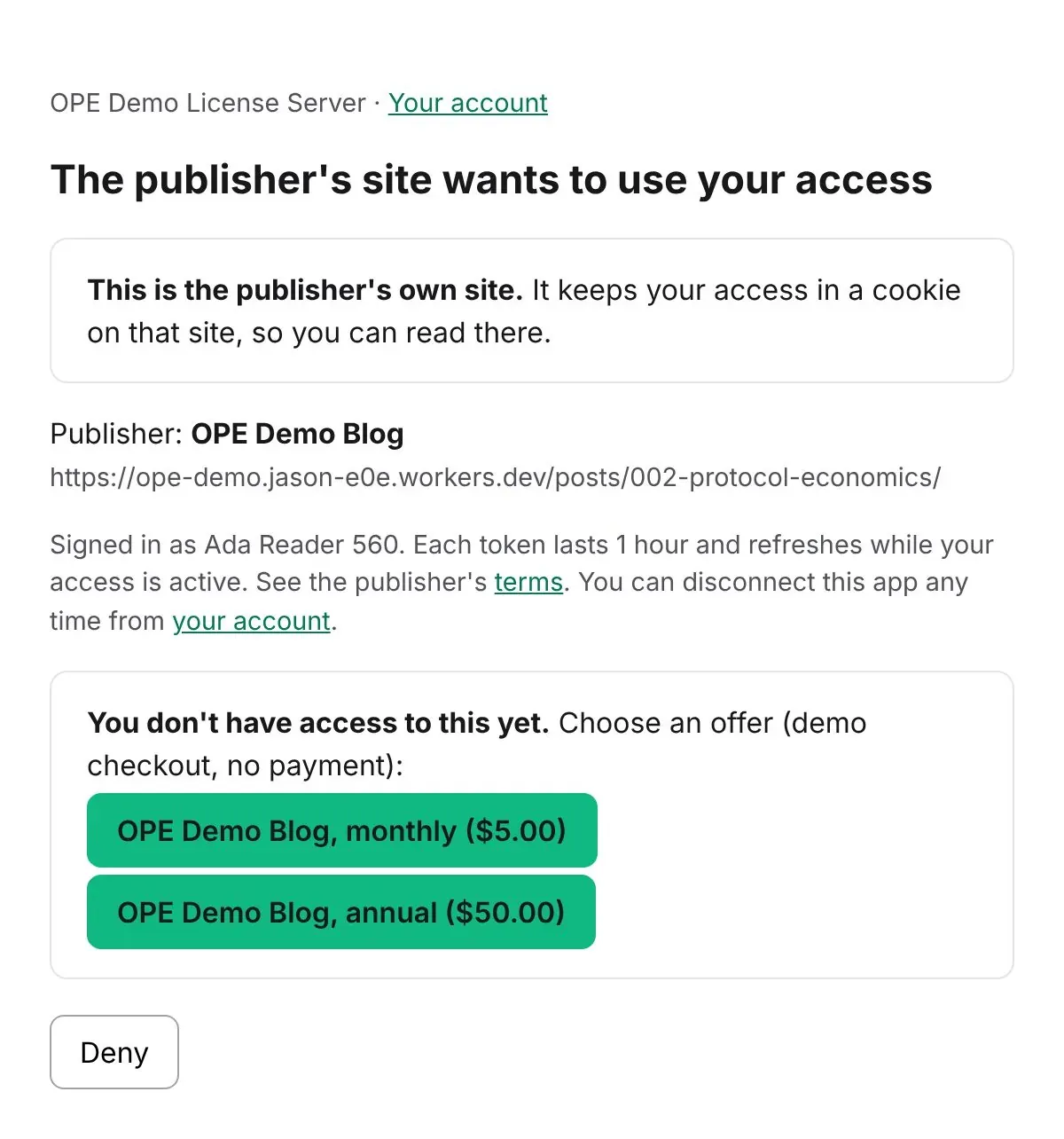
Choose an offer
What you see
It names the publisher's own site, links the terms, and shows the blog's two offers. Choosing one is the demo's stand-in for checkout.
What just happened
The License Server records the subscription and sends the blog a token covering every post in the subscription, valid for an hour.
-
4
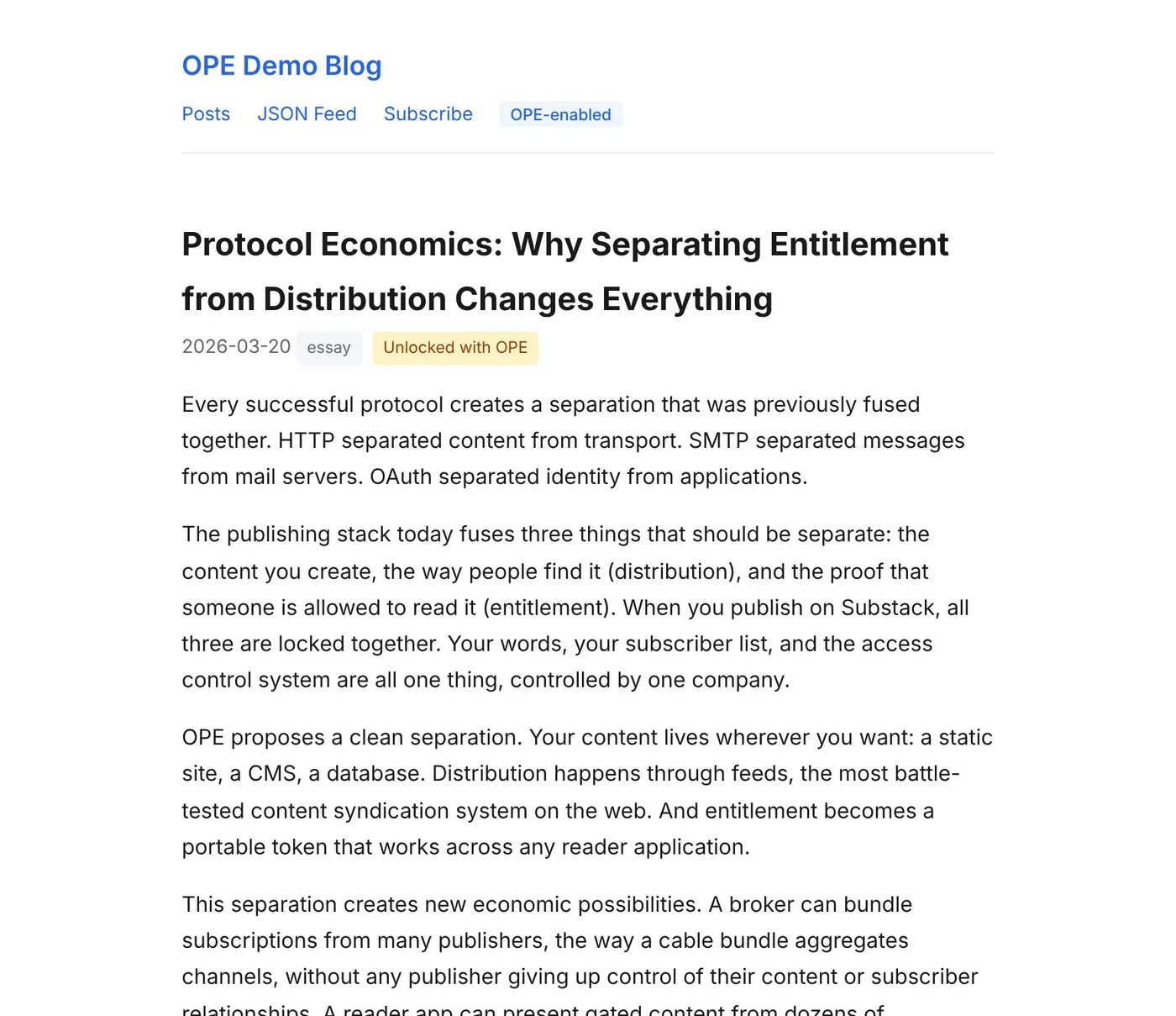
Back on the blog, unlocked
What you see
The same post in full, tagged Unlocked with OPE. The other subscriber-only posts are unlocked too.
What just happened
The blog checked the token and keeps it in a cookie on this browser, so every covered post opens. Stop reading on this browser forgets it.
The same subscription, in a reader app
Continuing in the same browser, after subscribing on the blog.
-
5
Open the post in a reader app
What you see
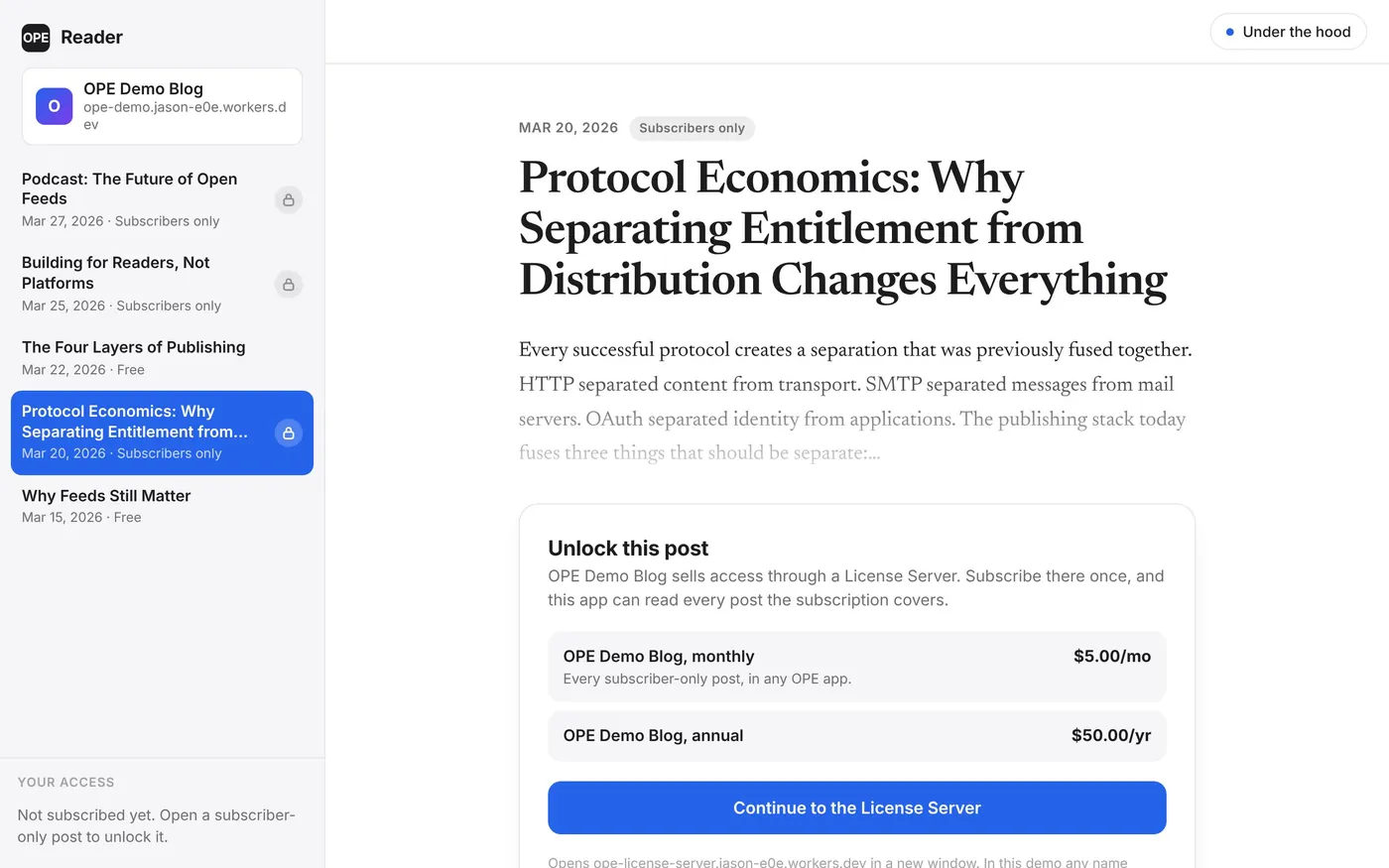
A reader app with the blog's posts in a library, subscriber-only ones locked. The selected post shows its preview and the blog's offers.
What just happened
The app reads the blog's ordinary feed, and learns where to get access the same way the blog's own page does.
-
6
Allow the app, no second subscription
What you see
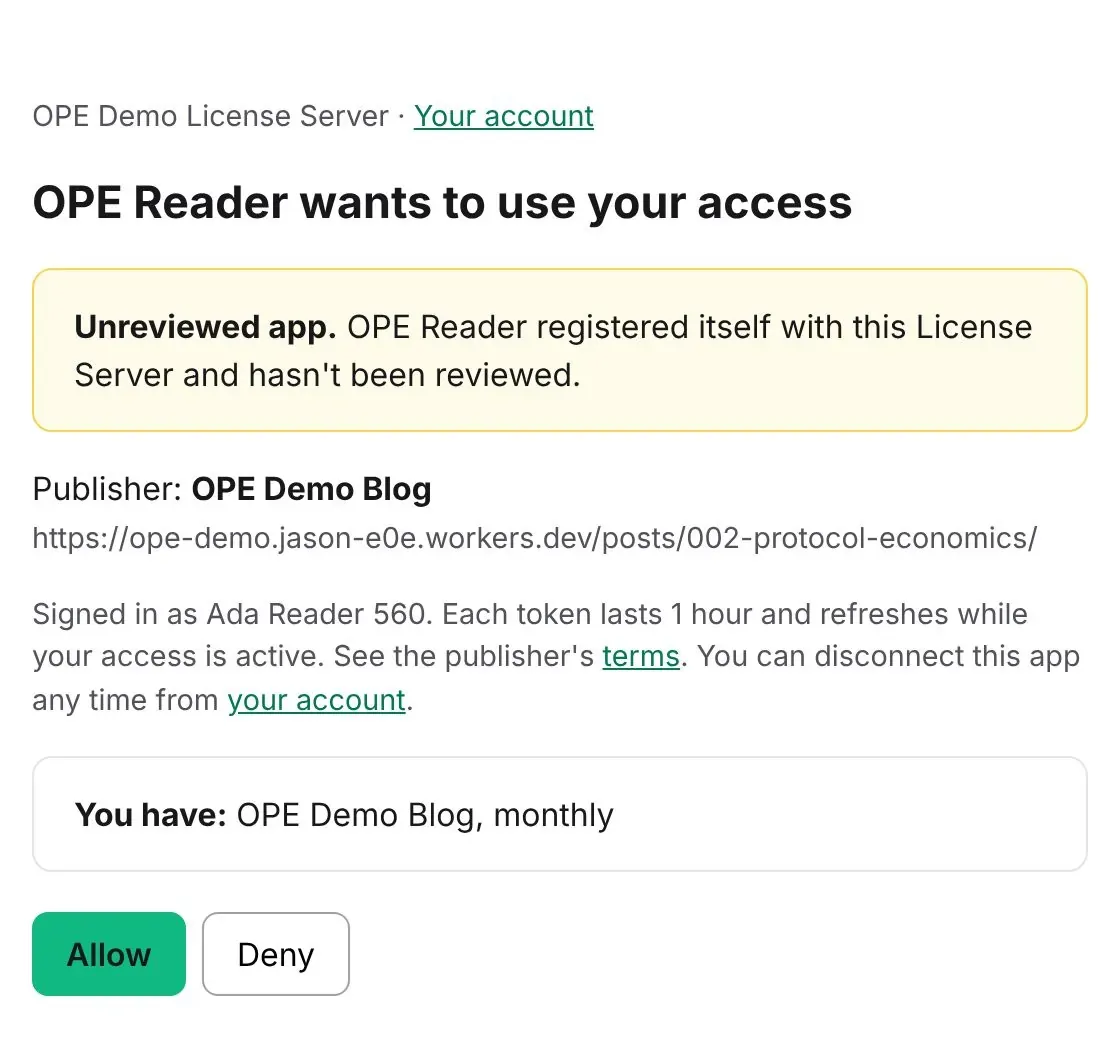
The License Server already knows the subscription from the blog. It only asks whether to let this app use it, and warns that the app isn't reviewed.
What just happened
One subscription, many apps. Each app gets its own token, tied to a key that never leaves the app.
-
7
Every covered post unlocks
What you see
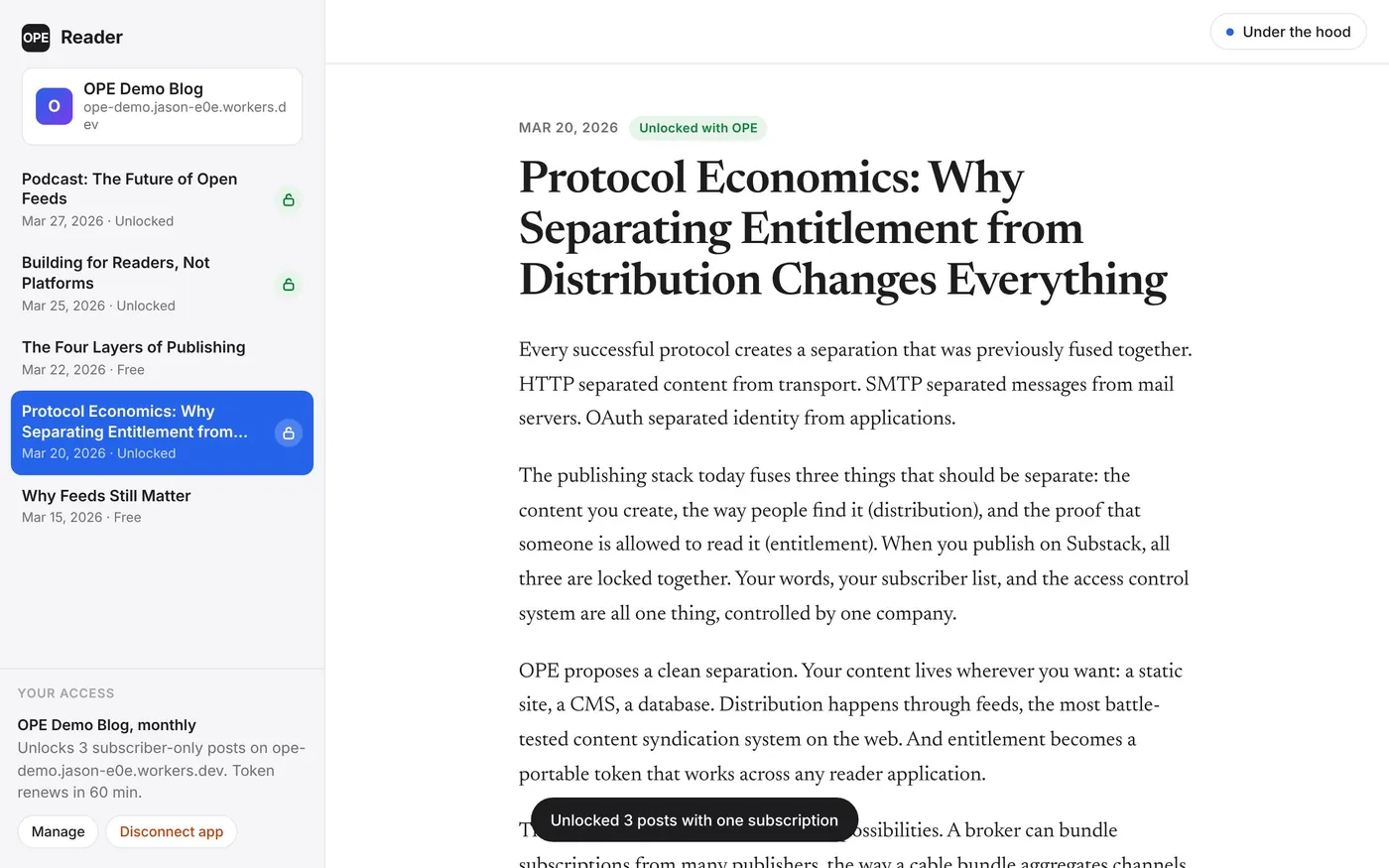
All three subscriber-only posts flip to unlocked in the library, and the post opens in full.
What just happened
The token covers the whole subscription, so the app reads any post in it without asking again.
-
8
A copied token is useless
What you see
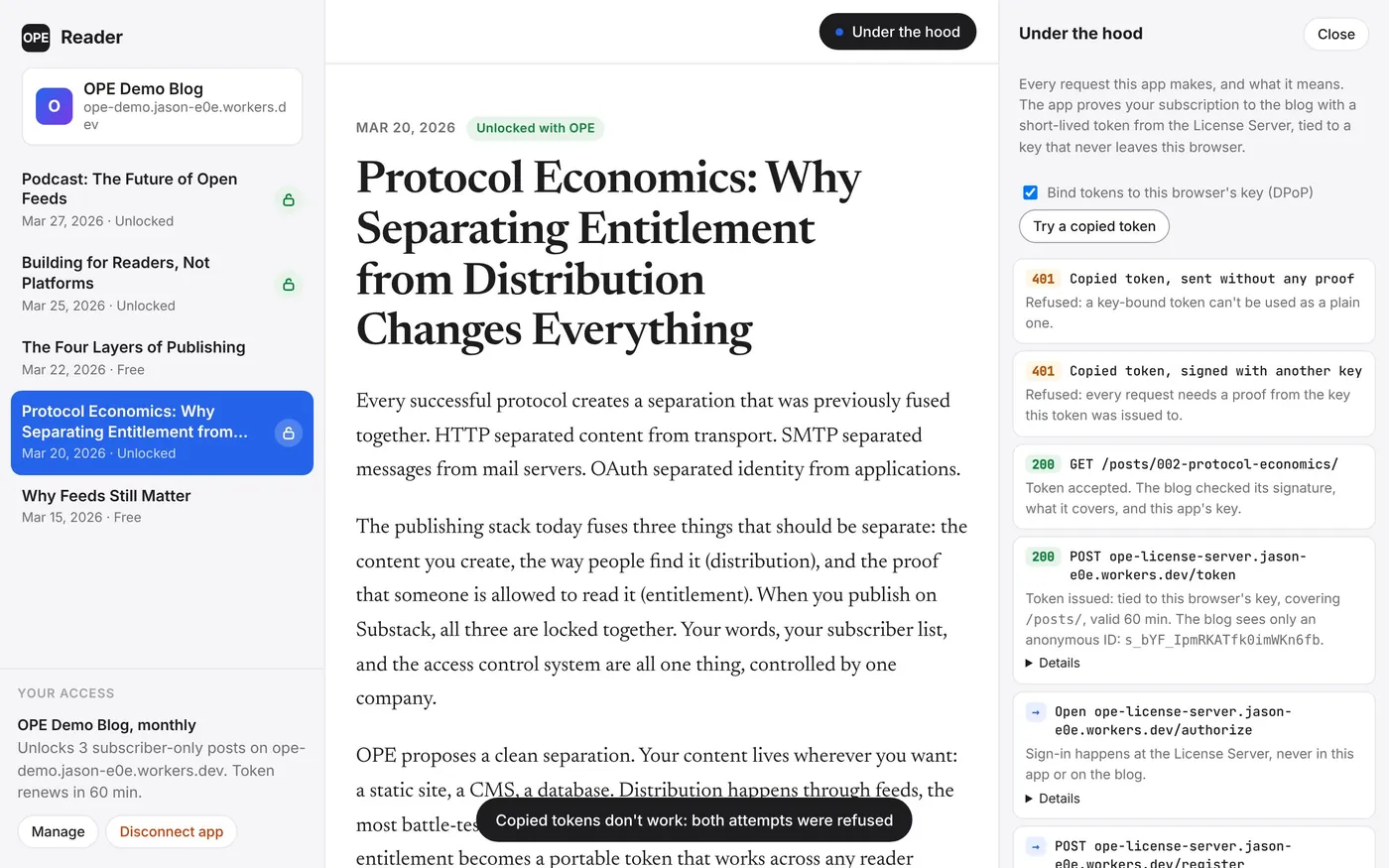
The Under the hood panel lists every request in plain language. Its copied-token test is refused twice.
What just happened
Each request carries a fresh proof signed by the app's key (DPoP). A token copied from logs or a screenshot fails that check.
One account, every app
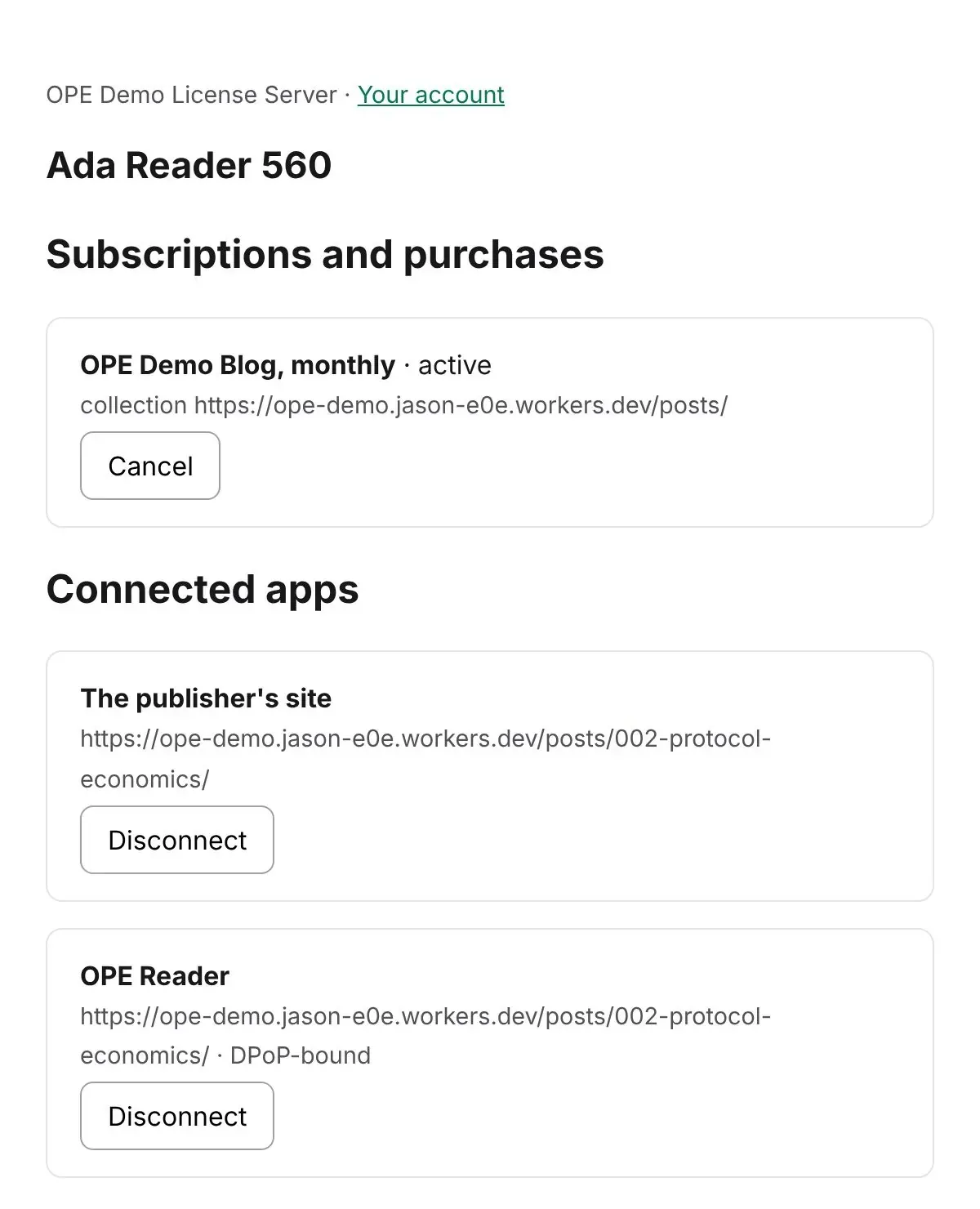
At the License Server, the reader sees one subscription and every app connected to it: here, the blog itself and the reader app. Cancelling the subscription locks the posts everywhere on the next request. Disconnecting an app ends only that app's access.
One app, many users: subscriber-only posts on atproto
In atproto spaces, now in alpha, a space admits an app, not each reader. An app that serves many people syncs a space once, then has to decide which of its users see it. The space app decides with OPE. The page plays the app and its users at once.
On the hosted demo, the space is a stand-in: Bluesky's spaces alpha is invite-only, so the app syncs the blog's subscriber-only posts. Run locally, the same app syncs a real space on Bluesky's alpha server, where the License Server decides who the space admits.
-
9
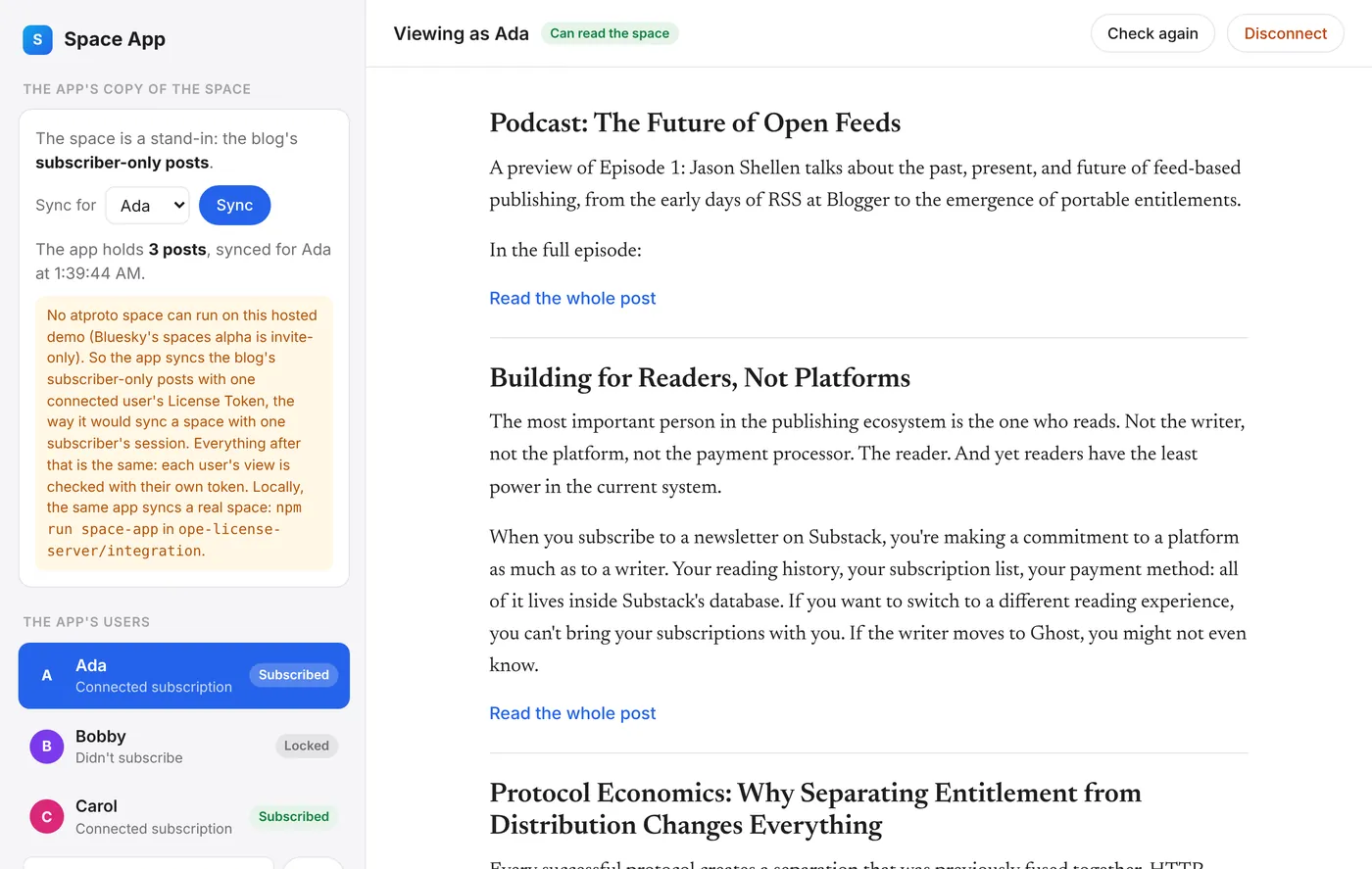
The app syncs once, for one subscriber
What you see
Ada connects a subscription at the License Server, and the app syncs the posts for Ada, who sees all three.
What just happened
The app syncs a space once for all its users, acting for one subscriber. The space admits the app on that subscriber's behalf.
-
10
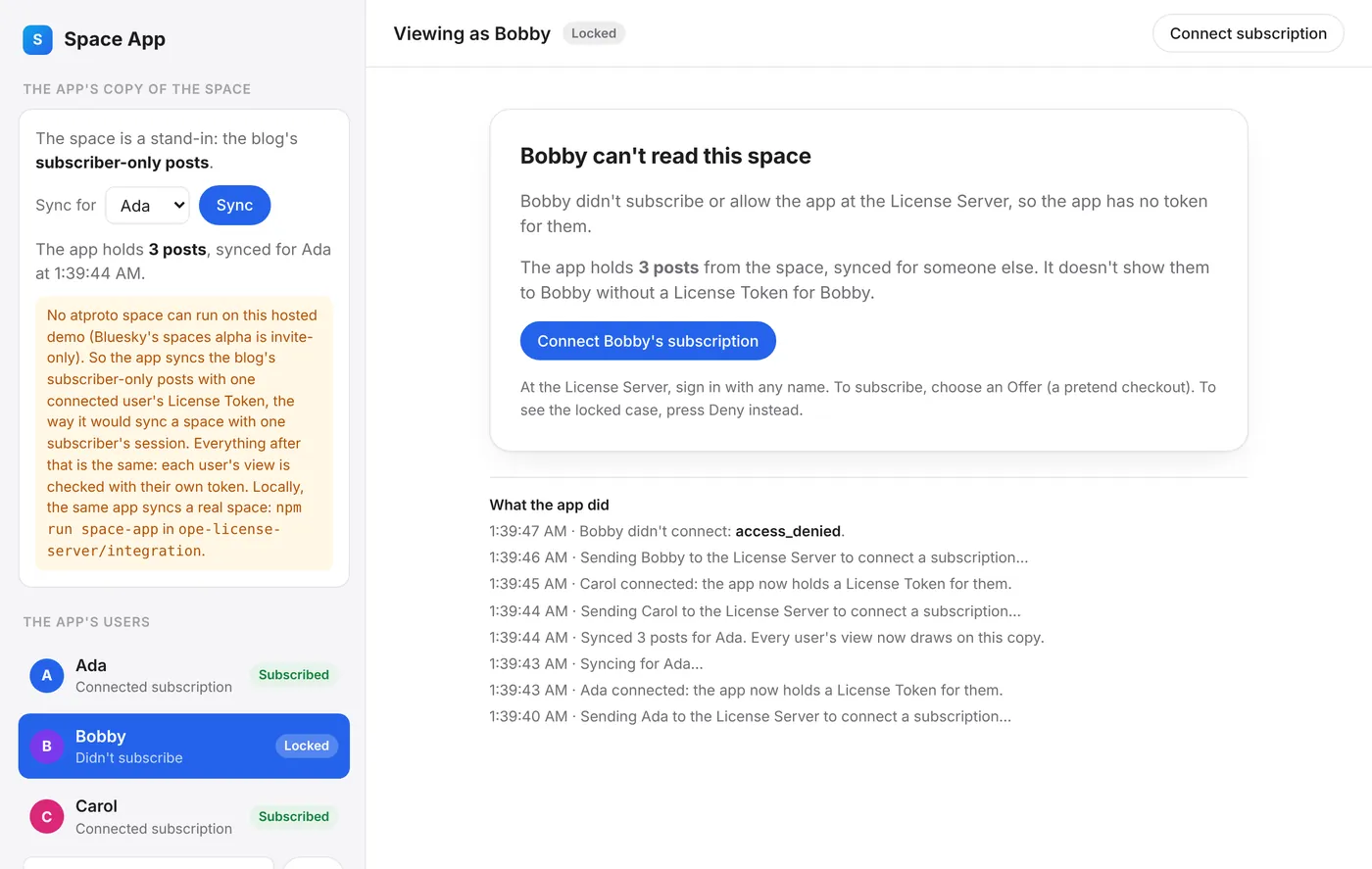
Another user of the same app stays locked out
What you see
Bobby uses the same app but didn't subscribe. The app already holds the posts, and still doesn't show them to Bobby.
What just happened
Admitting the app doesn't admit every user. The app shows a user the posts only while it holds a License Token for that user.
-
11
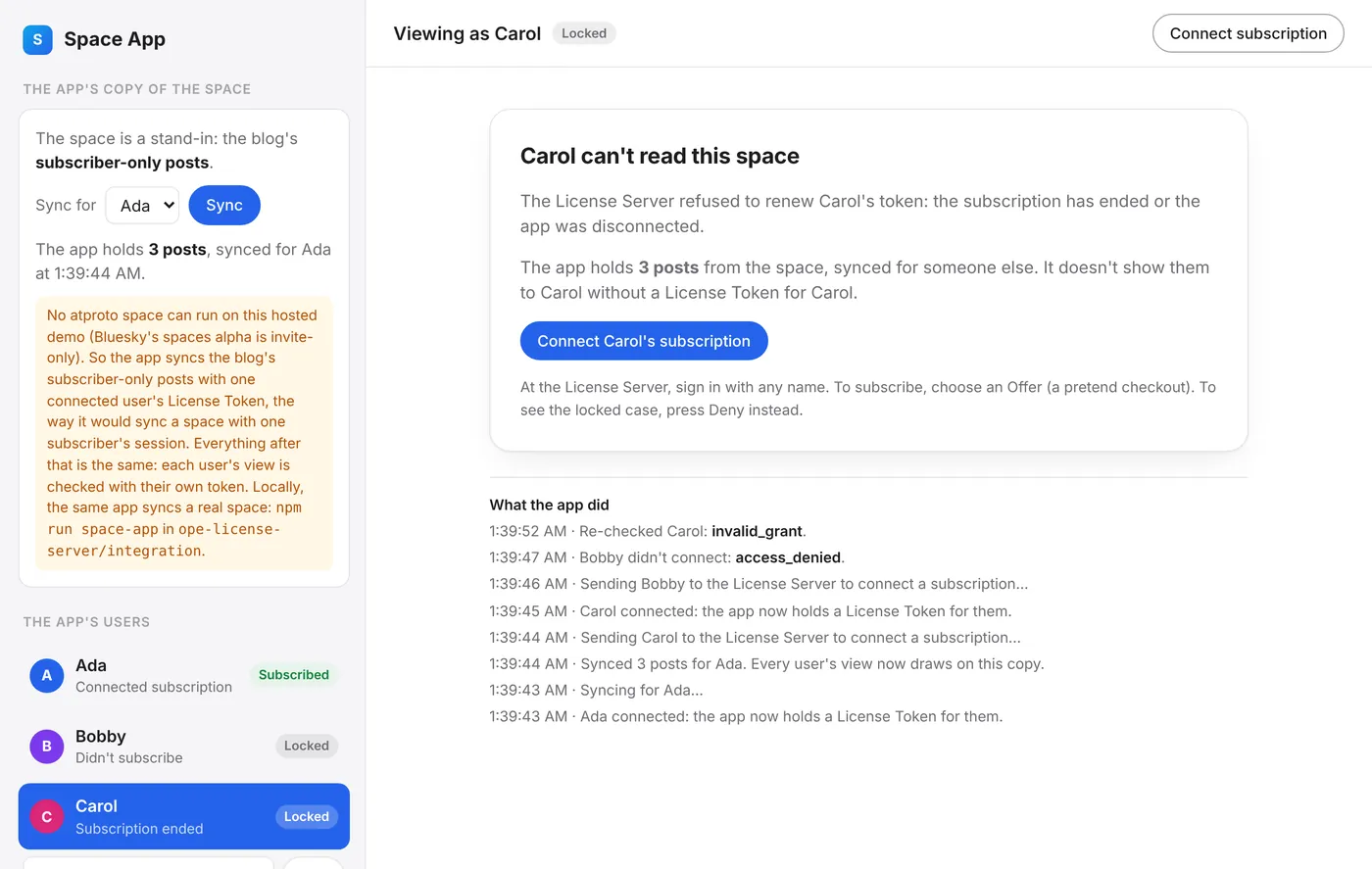
A cancellation locks only that user
What you see
Carol subscribed, then cancelled at the License Server. When the app checks again, Carol's view locks. Ada still reads.
What just happened
The app re-checks a user by renewing their token. After the cancellation, the License Server refuses to renew Carol's token.
Subscriber-only posts on atproto
atproto spaces, now in alpha, let a space hand each "may this account read?" decision to an outside service. The demo's License Server can be that service, answering from the same subscription. See the Profile E notes and the demo's atproto page. The space app above is the part you can try on the hosted demo.
Works
- The whole path, against Bluesky's own spaces-alpha server run locally. A reader signs in with their atproto account to link it. The space asks the License Server before issuing a credential. An app reads the posts with that credential.
- Credentials go only to linked readers with an active subscription. Each request must be signed by the space's owner.
- A multi-user app syncs the space once, then shows the posts only to users with their own subscription, checked with an OPE License Token. You can open it; on the hosted demo the space is a stand-in.
Not yet
- A hosted space (the alpha is invite-only), so the live space app uses a stand-in.
- Spaces in the demo's reader app.
- Cutting off a credential already issued: after a cancellation, it lasts until it expires (10 minutes).
Run it yourself
The demo's source runs locally with one command (./run-demo.sh), and puts both servers on a Cloudflare account with another (./deploy-cloudflare.sh). Adding OPE to your own Eleventy site takes four steps with eleventy-plugin-ope. You don't run a License Server yourself.
Screenshots captured November 11 and 13, 2026 from the live demo. The demo implements a proposed draft, which may change in response to comments.